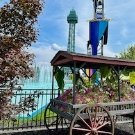
June 14, 200719 yr Thanks to this website, my trips to KI, are no longer just trips, I'm always looking around for interesting things I haven't noticed before...lol When I was there on Tuesday, I noticed for the first time a second-floor balcony/patio with stairs leading up to it over top of the candy shop. Was this used for guests in past years?
June 14, 200719 yr ^ It is now SBNO. I was used for people that would not go on SoB, but wanted to have the same SoB feeling. They would eat a bunch of candy, jump up and down, and then fling themselves from the balcony to the ground. (Ok, you got me. I have no idea if this was ever used) I am just incredibly bored at work right now. Stupid things just jump into my head.
June 14, 200719 yr No the one above the candy shop with the gate in front of the stairs. It used to have tables and chairs up there where people could eat, but was closed to insurance reasons (I think). Now there is absolutely nothing up there except a door to the second floor of the Candy shop, which is storage.
June 14, 200719 yr No the one above the candy shop with the gate in front of the stairs. It used to have tables and chairs up there where people could eat, but was closed to insurance reasons (I think). Now there is absolutely nothing up there except a door to the second floor of the Candy shop, which is storage. I've never seen it used for anthing other than storage.
June 14, 200719 yr Author Thank You...I think I was waiting for the rope to drop and noticed it. I bet it (at one time) gave a neat view while eating.
June 14, 200719 yr Is this the one? http://www.KICentral.com/photos/displayima...m=91&pos=15 Looks like "Nine Inch Nails"...





Join the conversation
You can post now and register later. If you have an account, sign in now to post with your account.
Note: Your post will require moderator approval before it will be visible.