Dom497
Members
-
Joined
-
Last visited
-
So I took a look at the css page: https://www.visitkingsisland.com/css/screen.css I noticed that there is a "Scream" microsite. But the /images/structure/logo-main-scream.png is not active yet. Probably means nothing but could the coaster/ride be named Scream? (which is a terrible name IMO)
-
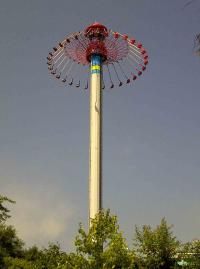
I don't know if this has been brought up but all the trees in the picture are "falling" to the same side.....almost like they are being blown over. WindSeeker V2?
-
I've never been to KI so forgive me. Where is this fence? Is it blocking a large enough area for it to be some sort of coaster? I'm leaning towards a dark ride with VR technology since Cedar Fair has said that they are looking at combining VR and a dark ride.
-
You have to realize that these images are coming from an app designed to run on a phone. When the VR is running, the layout has to rendered in real time on the phone. As a result, unless you want the app to become laggy, you cannot include all the details. Compare it to what we will likely see on announcement night, the official POV will have already been rendered, cleaned-up and perfected. I've also never heard of someone saying the logo is too detailed....
-
100% a Dive Coaster. No other type of B&M coaster has two anti-rollbacks on the lift.
-
Kings Island has been nominated! https://www.youtube.com/watch?v=OHlwjS2l5C0&list=UUlNRHZQ8IwMm0X0i2Fb_bFg
-
First they expanded rapidly and crashed and just as they recover, they start the whole cycle over again????
-
If Cedar Fair is going to try and do anything, I think we should look for it to happen on Mindbuster at Wonderland. Wonderland is clearly CF's common experiment grounds and Mindbuster is the perfect coaster to begin experimenting with (given its simple layout).
-
All they had to do was put the lift hill INSIDE the mountain and make it interactive starting there.....
-
But it does breathe fire!
-
Really? I thought all roller coasters were water proof because, you know....their out in the open...
-
I guess nobody here noticed the photo that was screaming "splash down"...take a good look.
-
For any of you dieing to see a POV of WMG, CoasterForce has posted a FULL HD *and legal* POV of the ride. You can see that the ride is clearly incomplete as there is wood still covering holes in the mountain. Also, just as the train enters the mountain, you can see the general set-up of the ride.
-
It was bound to happen eventually and a full POV of WMG has been posted on Youtube...and I won't link it. (SPOILER ALERT IN THE VIDEO BUT NOT THE REST OF THIS POST) To be honest, I had no idea what on earth was going on....there's no story line! Your underwater one second and you above the next. Then all of the sudden your in the dragon liar....Yes, I've never been on the ride but now watching a POV, I am kinda disappointed.... I was thinking of maybe going for a day at the park (I didn't get a pass) but this video changed my mind. Also, the train entrance into the mountain looks very very unfinished.... ----- It's also been confirmed that the projectors only use 720p
-
https://www.facebook.com/CWfansite/photos_stream Lots of pictures posted today of WMG's opening. It turns out that the finale is: Some other info: - Queue is very very short...apparently only able to hold a 30-45 minute line. - The ride overall is apparently "short" - The track outside the mountain is apparently a bit rough. - Defiantly is not "better than Dinsey" (quoting what TrioTech said in August) I didn't get a pass this year so this info is coming from members on CW Mania.