Rc1111
Members
-
Joined
-
Last visited
-
This announcement will (hopefully) be a nice day early birthday present for me
-
For the 100th time: Mr. Oiumet (Cedar Fair's new CEO) has stated that there are no other wing coasters on the menu. He also stated he wants each park to be unique. What you stated is what the old CEO was doing. Here's the interview during Gatekeeper's opening: Sorry, I never saw that interview.
-
I'm going to go ahead and say this is going to be a winged coaster named "Banshee" because of The Bat reference. EDIT: and because of the fact that Cedar Fair seems to like all their parks to be similar.
-
If you don't mind, could you make your whole collection avalible for download? I would LOVE to have these.
-
It's a video effect -.- that's all!
-
ehh, that's adequate enough. Thanks
-
My twitter feed is now rated "M" for mature. You know, since I turn 17 today
-
Mine also: https://twitter.com/EBoyes17
-
Ehh, i'm just bored. (btw guys, my birthday is tomorrow)
-
Enough guys, this is childish. Even though she started it.
-
Me too lol
-
I had KI as my cover photo awhile ago but I never made an comments on KI's FB.
-
BROWNIES! DAWG POUND! WOOF! WOOF!
-
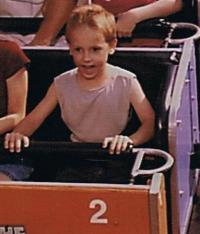
That was my first upside down coaster (sorry for double posting)
-
Phantom's Revenge at Kennywood when I was 7.