




DBru
-
Joined
-
Last visited
About Me
Hey everybody!
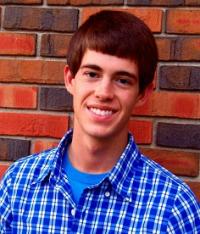
My name is Daniel Bruington. I'm an 18 year old living in central Kentucky. I live about 2 hours from Kings Island, Holiday World, Beech Bend, and what used to be SFKK. I've ridden over 200 different coasters, and count almost anything that moves as a credit.
I am a lifeguard at my local pool, and I live for summer. I love swimming, golfing, watersports, and...oh yeah, roller coasters. Sadly, there are those 38 weeks of the year that I am forced to be in school, but during those seasons, I enjoy working with computers, writing (exciting) literature, and being a leader in a variety of organizations.
I am a die-hard UK fan. I attend the University of Kentucky where I am majoring in Biology (pre-dental). Afterward, I dream of moving to Los Angeles, CA, and pursuing my career as an orthodontist...and an actor. Living Blue, riding roller coasters, and being on the beach is all I really wish to do. And of course, after that, I hope to go to Heaven.
If you took the time to read all that, thanks! See you at the park!