





Mystic1017
Members
-
Joined
-
Last visited
-
It was a fun event though
-
@IndyGuy4KI I will keep an eye out for your pass again.... Lol
-
I was just about to post that lol
-
I guess lol if it is over 400ft though wouldn't that be strata? When I rode it I hardly considered it a coaster lol
-
Also we should be greatful that Cedar Fair owns all of the Giga Coasters in North America. That is why I don't see why anyone is complaining about this coaster. It is adding to the Cedar Fair Collection. And of all 7 in the world Cedar Fair owns 5 of them there is where the bragging should be lol
-
What is the other coaster that is taller besides Kingda Ka?
-
I personally didn't mind twisted cyclone either
-
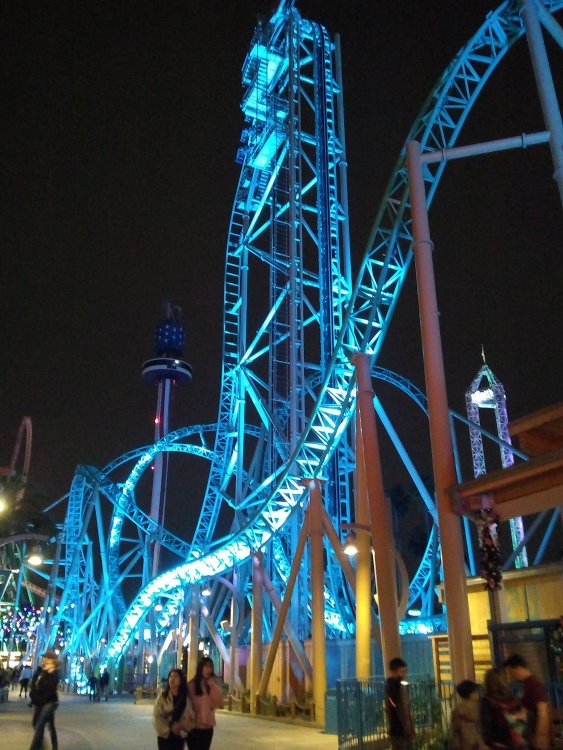
I personally would like to see a Gertslauer Infinity added to Vortexs spot. When I rode Hangtime at Knott's Berry Farm it was an amazing coaster. It was also a great one to take pictures of just like Vortex was.
-
The webcam has to work first lol
-
I believe so too that is why I didn't link it
-
I guess we typed that at the same time @BoddaH1994 lol
-
Cincy photography just shared a 360 view of the construction site on Facebook
-
Not to mention the "software update" is causing the dining passes not to work cuz they was last used last weekend? Lol
-
I am still fighting my way in
-
Kings Island Dr is backed up onto I-70 currently and I am coming from Indianapolis



