April 10, 20251 yr I'm somewhat new around here (VERY new compared to others) so forgive me if it's been answered before. I was curious why the Diamondback background doesn't work. Is there just not a picture able to be on here, or is it something else? Just curious. It would also be cool to see a Banshee background as well
April 10, 20251 yr I will take a look when I get home when I can look at the back end of the forums. Not sure why DB is not working.
April 10, 20251 yr Author 1 hour ago, IndyGuy4KI said: I will take a look when I get home when I can look at the back end of the forums. Not sure why DB is not working. Thanks! Yeah ever since I joined KIC (November 19, 2024) it hasn't worked. It could be just a me thing, although it has never worked on my end.
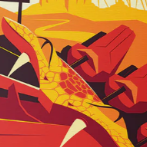
April 10, 20251 yr Author It just popped up now! This is going to be my new background! Not sure if you did anything to it, but thanks for looking into it! I appreciate it!





Join the conversation
You can post now and register later. If you have an account, sign in now to post with your account.
Note: Your post will require moderator approval before it will be visible.