Skip to content
View in the app

A better way to browse. Learn more.

Kings Island Central Forums

A full-screen app on your home screen with push notifications, badges and more.

To install this app on iOS and iPadOS
  1. Tap the Share icon in Safari
  2. Scroll the menu and tap Add to Home Screen.
  3. Tap Add in the top-right corner.
To install this app on Android
  1. Tap the 3-dot menu (⋮) in the top-right corner of the browser.
  2. Tap Add to Home screen or Install app.
  3. Confirm by tapping Install.

Kings Island trip 8/8/19

Featured Replies

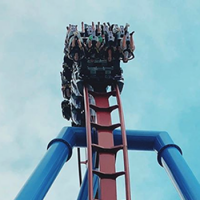
Had a great trip to KI last week! Got in 20 rides, and everything was walk ons. I even walked on to front row on Banshee and Mystic! The park itself was great too, they're putting a lot of effort into landscaping and what not and it shows. They even had some poor guy crouched down by the lost phone phone display in the DB queue pulling up a couple weeds lol. It was my first trip of the year and probably my only one for 2019, but I'd love to make it back for Haunt if possible. If not, then the next time I'm at the park, there'll be a giga there which is wild to think about. Here's a short video I cut together from my day at the park:

https://www.youtube.com/watch?v=44nNXPssPJ0

Join the conversation

You can post now and register later. If you have an account, sign in now to post with your account.
Note: Your post will require moderator approval before it will be visible.

Guest
Reply to this topic...

Recently Browsing 0

  • No registered users viewing this page.
Background Picker

Account

Navigation

Search

Search

Configure browser push notifications

Chrome (Android)
  1. Tap the lock icon next to the address bar.
  2. Tap Permissions → Notifications.
  3. Adjust your preference.
Chrome (Desktop)
  1. Click the padlock icon in the address bar.
  2. Select Site settings.
  3. Find Notifications and adjust your preference.