

Skip to content
View in the app

A better way to browse. Learn more.

Kings Island Central Forums

A full-screen app on your home screen with push notifications, badges and more.

To install this app on iOS and iPadOS
  1. Tap the Share icon in Safari
  2. Scroll the menu and tap Add to Home Screen.
  3. Tap Add in the top-right corner.
To install this app on Android
  1. Tap the 3-dot menu (⋮) in the top-right corner of the browser.
  2. Tap Add to Home screen or Install app.
  3. Confirm by tapping Install.

Daytona Beach Roller Coaster Derails
Featured Replies

Wow- my sister sent me a message about this on Facebook, and it's a bit disturbing. A roller coaster at the Daytona Beach Boardwalk derailed earlier today, and while no deaths have been reported, it is claimed in the article a few people did fall 30 feet or so. Around 10 others had to be rescued by the local fire department. Hopefully, no one has died or been seriously injured as a result of this accident, though falling 30 feet probably guarantees at least injuries.

http://www.orlandosentinel.com/news/breaking-news/os-roller-coaster-derailed-daytona-20180614-story.html

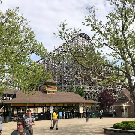
I looked on RCDB, and I think this is the coaster which had the accident (looked up coasters in Daytona Beach). It is a Pinfari Zyklon, and while it opened at this Boardwalk in 2013, it was originally built in the 1970's and has been relocated a LOT. It's one of 2 coasters at the small boardwalk, and its the bigger of the two.

https://rcdb.com/8931.htm


Join the conversation

You can post now and register later. If you have an account, sign in now to post with your account.
Note: Your post will require moderator approval before it will be visible.

Guest
Reply to this topic...

Recently Browsing 0

  • No registered users viewing this page.

Background Picker

Account

Navigation

Search

Search

Configure browser push notifications

Chrome (Android)
  1. Tap the lock icon next to the address bar.
  2. Tap Permissions → Notifications.
  3. Adjust your preference.
Chrome (Desktop)
  1. Click the padlock icon in the address bar.
  2. Select Site settings.
  3. Find Notifications and adjust your preference.