February 19, 20179 yr So I was at my grandmothers house today cleaning out her belongings. She passed in Dec at 96 yr old. I was going through one of the bedrooms and found my favorite book from when I was growing up. Almost as if my grandmother left it there for me. The book is is pristine. Never read. So glad I have this in my collection now. Sent from my iPhone using Tapatalk
February 19, 20179 yr I actually have a copy of that very book. It is sad to see the park after all the rides had been moved to Kings Island, standing just like a ghost town. Fortunately the park is still running today. Although it would be nice for the park to add another wooden coaster someday.
February 19, 20179 yr My dad has an autographed copy of that book. Definitely a great find, especially for those of us who are too young to have experienced Coney prior to Kings Island.
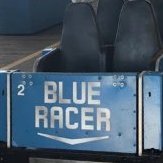
May 26, 20179 yr Author My dad has an autographed copy of that book. Definitely a great find, especially for those of us who are too young to have experienced Coney prior to Kings Island. Funny thing I was looking through the book again last night and guess what?





Join the conversation
You can post now and register later. If you have an account, sign in now to post with your account.
Note: Your post will require moderator approval before it will be visible.