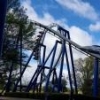
July 3, 201412 yr Quick list of all I did today: Diamondback (100th ride) Beast The Bat Banshee Ice Cream Won a basketball (forgive me) Won a giant hampster at bank a ball Put my hampster in the car Played the 3 point shootout (3 points meh) Friend won front of the line passes for all four of us Rode Banshee Headed home I left at about 4. Overall the trip was great and it wasn't too crowded. I've never done a trip report before so sorry if I'm doing it wrong.
July 3, 201412 yr I was there as well! Sorry we missed each other! Great report, and glad you had a good day.
July 3, 201412 yr Author Congratulations on the milestone for 100x on Diamondback!Thank ya very much!
July 24, 201412 yr Author Okay so here's my rundown of today (7/24/14): Banshee (4-4) Beast Diamondback Racer Banshee (6-2) Not a big fan of by the way. Bat I was sad to see Shake, Rattle & Roll missing. I don't ride it much but I hope to see it back soon. Overall the day was amazing except for the disappointment in row 6 of Banshee. It was not fun getting pulled harshly through all of those inversions. But, a bad ride on Banshee is still better than a good one on Invertigo.





Join the conversation
You can post now and register later. If you have an account, sign in now to post with your account.
Note: Your post will require moderator approval before it will be visible.