




Leaderboard
-
Orion-XL200
Members1Points1,494Posts -
Losantiville Mining Co.
Members1Points1,546Posts -
SonofBaconator
Members1Points7,481Posts -
kingsislandfan1972
Members1Points4,143Posts
.thumb.png.8e7f1090cc8ce08ec0aa4a9c54cc20be.png)



Popular Content
Showing content with the highest reputation on 02/07/2026 in all areas
-
Holiday World’s Firecracker is more than a spinner—it’s a revived Calypso with roots at Americana near Cincinnati. A true time capsule ride. https://themeparksbydon.com/holiday-world-firecracker-calypso-ride-history/1 point
-
1 pointIf anyone has 20 minutes to spare (or speed of the video 2x like I always do) it’s worth it:1 point
-
I came up with a mausoleum concept for Banshee's queue. It goes over the main part of the queue that is usually first to open up when the line gets longer
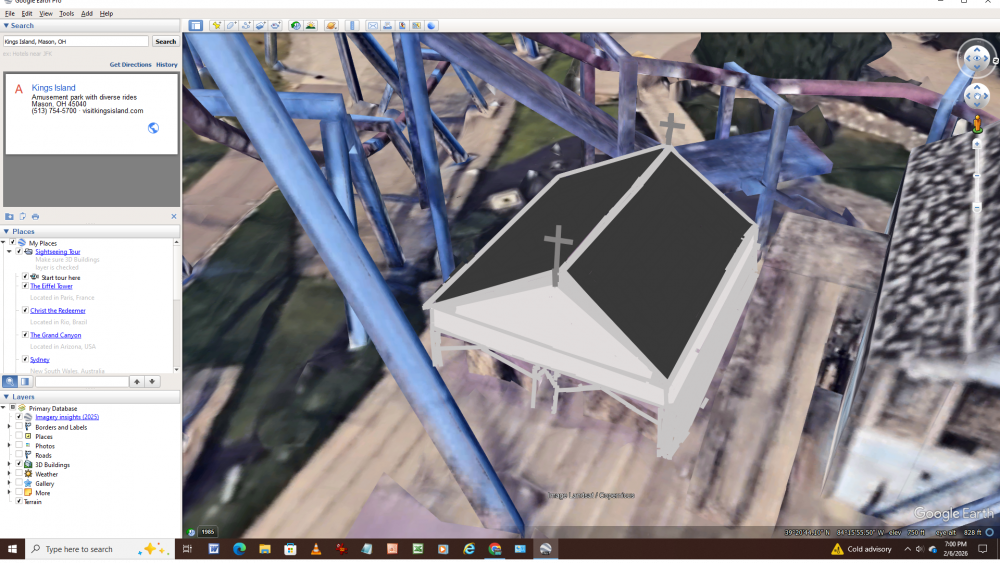 1 point
 -
The Diamondback queue structure is so badly needed! It'd help bring the "town" feel back to Rivertown while refreshing the DB experience. Drawing the view back down to the ground will also help this section of Rivertown overall. If they do anything for the FOF queue I'd hope they would choose a design that keeps the trees or plants new ones nearby. Area 72 as it currently exists is so devoid of plant life that it'd be a shame to lose more.1 point
-
Me patiently waiting for April so I can have first dibs on rides...😶🌫️
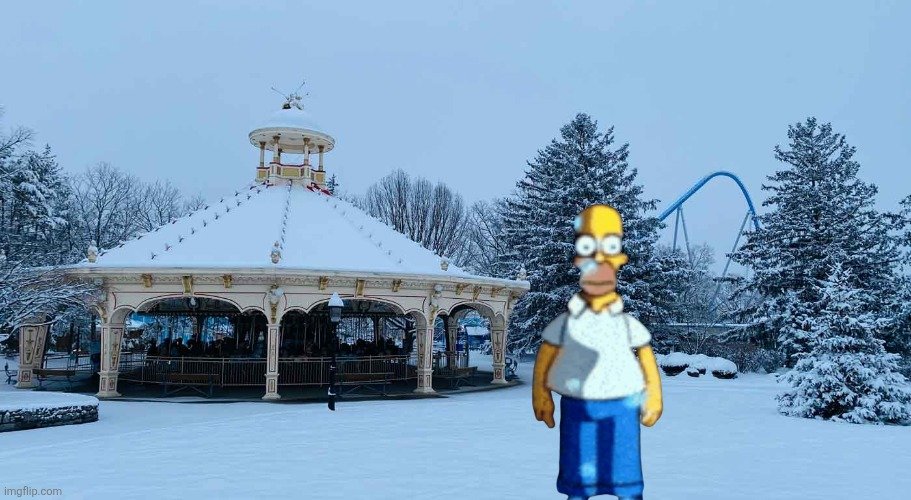 1 point
 -
I would love to see them bring back the Kings Island greenery sign out front somewhere or in the park, I think the best spot would be here, while guests are walking up to the park at the entrance plaza, but on the other side, since there are trees where it used to be today. First picture is where it used to be and second is where the new Kings Island greenery sign can go in yellow.
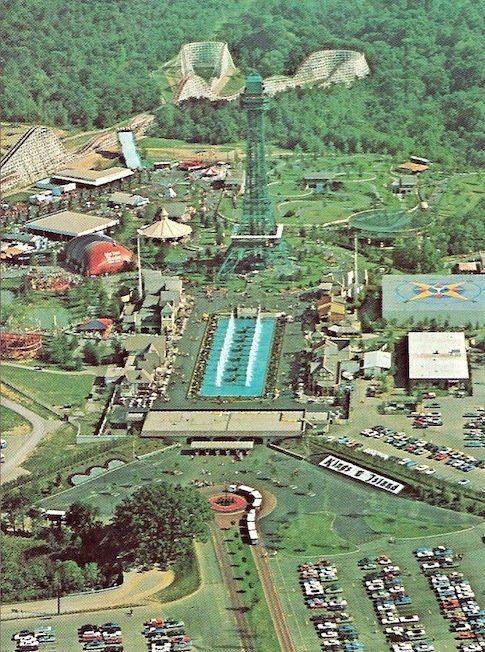
.thumb.png.8b31e4772781dfee43d144727258d8a7.png) 1 point
1 point


.png.d01180eb0865536c77d4428c3f1ff843.png)
This leaderboard is set to New York/GMT-04:00