




Leaderboard
-
cedarAfairs
Members3Points81Posts -
BeeastFarmer
Members3Points4,752Posts -
mikejenkins1
Members2Points672Posts -
David Ellis
Members2Points71Posts


Popular Content
Showing content with the highest reputation on 03/19/2023 in all areas
-
2 pointsOh yes. IShowSpeed. He was doing a livestream and filmed on Racer and he got caught on livestream. Also, he was basically causing a ruckus as there were at least 20 of his fans basically swarming him around the park.2 points
-
2 pointsHopefully Adventure Port will be finished sometime by this Summer but I have heard there are delays going on which resulted in having Adventure Port not open and has construction team continue to work so that means it will be extended wait until May at best....but I know I was a bit disappointed with the fact Adventure Port won't be open on time and won't be open anytime soon until May or whenever construction is finished whichever comes first in order to have the Grand Opening Celebration take place at a later date.....Time will only tell.... The reason why construction is being extended due to delays and having to install the new rides they will put in which is also another matter along with Mercado.2 points
-
2 pointsI saw Effial Tower testing sometime within the past week. Less than a month until Opening Day!2 points
-
2 points
-
2 pointsAllowing guests to record while on rides is a slippery slope. There are plenty of videos on YouTube of practically every ride nowadays. No reason to record one yourself. The risk of the equipment not being properly secured is too great to risk from the park's prospective. On top of that, you have guests and "influencers" on social media that spend more time recording their video on the ride rather than sitting in the proper riding position.2 points
-
2 pointsOn ride filming, without park approval, is not allowed currently, no matter the equipment.2 points
-
2 pointsIn all the conversations I have had with the park, that is not the case. The only approved POV's that I am aware of are what @Captain Nemomentioned. The parks own POV's and the PR department might approve one occasionally. Usually that is limited to one or two. Please do not try this at all.2 points
-
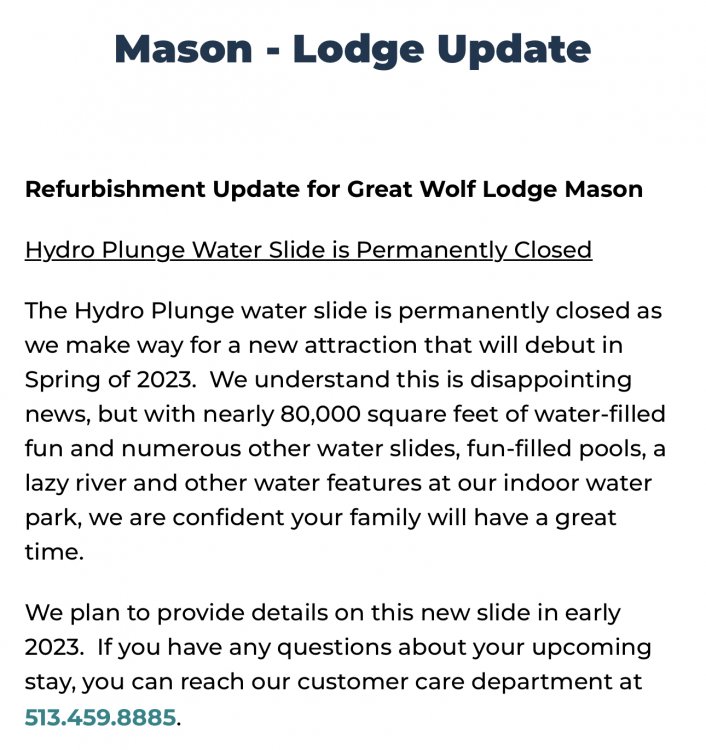
Supposed to open this Spring but still no announcement of what's going in. We should know pretty soon. Hoping it's done by Coasterstock as we're staying there during the event. But wouldn't be surprised if it's not.
 2 points
 -
IIRC, he knew he was breaking the rules but thought he would "get a warning." (if you expect a warning...you don't actually need a warning).1 point
-
And that, ladies and gentlemen, is a good reason to not allow it. I forgot about that kid...1 point
-
The fam is staying there while my daughter and I attend.1 point
-
1 point
-
No, it’s unsafe. Riders or people off the ride will get hurt. Just leave it to the park. Loose articles are a very serious issue. There was a case a few years ago where a lost article hitting a guest caused them to completely lose their eye.1 point
-
Even when I ran KIC, I would always allow the dual topics. People don’t gravitate to or utilize KI News so it’s another good way for people to miss information, although it’s important because it populates the main page.1 point
-
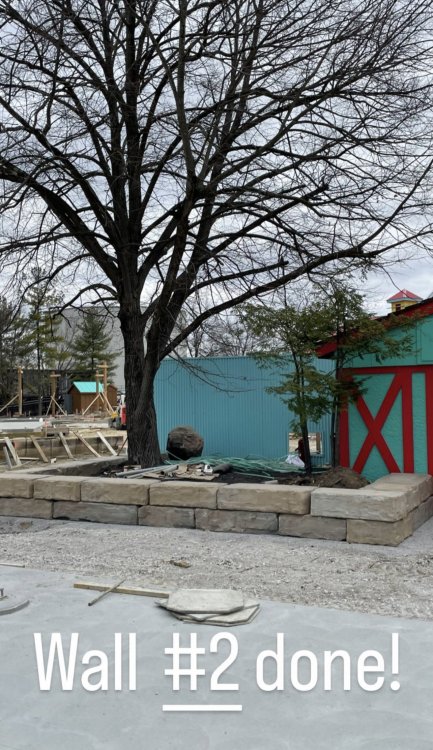
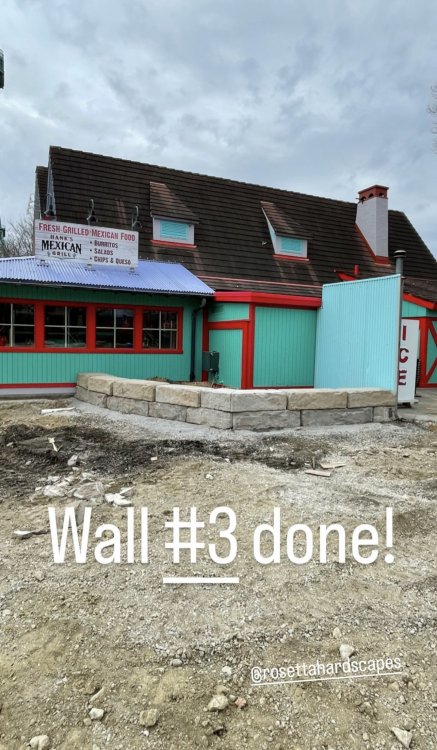
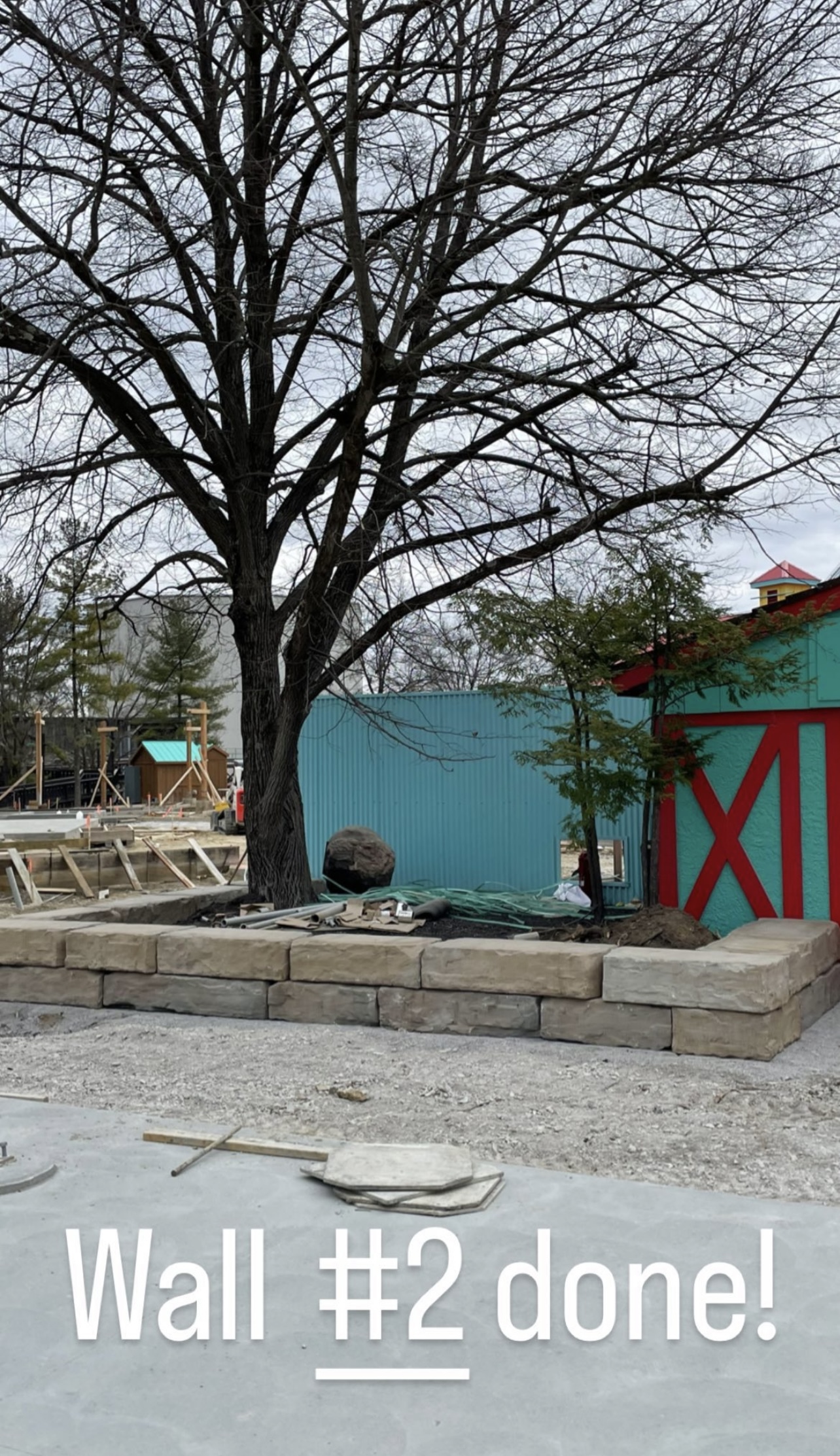
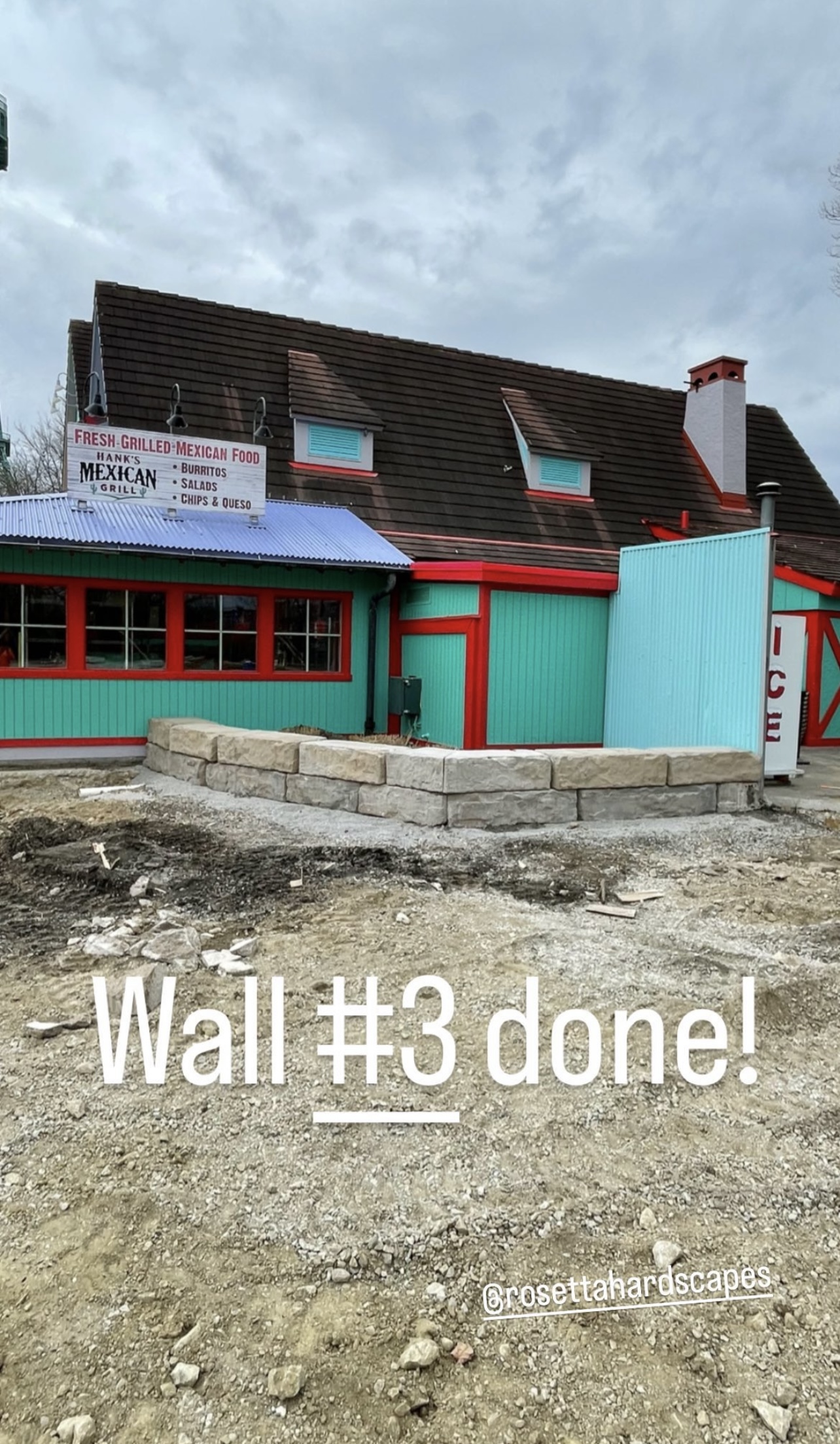
Wilk’s Outdoor Living has been posting Adventure Port hardscape updates on their Instagram. They are currently installing big stone blocks to act as a curb (and will definitely be used as benches). I really like it so far. There are a few other posts on their Instagram in addition to these pictures.
 1 point
 -
1 pointNot exactly sure what this brings to the discussion. You don't have to go if you aren't interested.1 point








This leaderboard is set to New York/GMT-04:00